Getting Started
Adding Helpshift Web Chat into your website is really easy. Follow this step-by-step guide to finish your setup within a minute.
Introduction
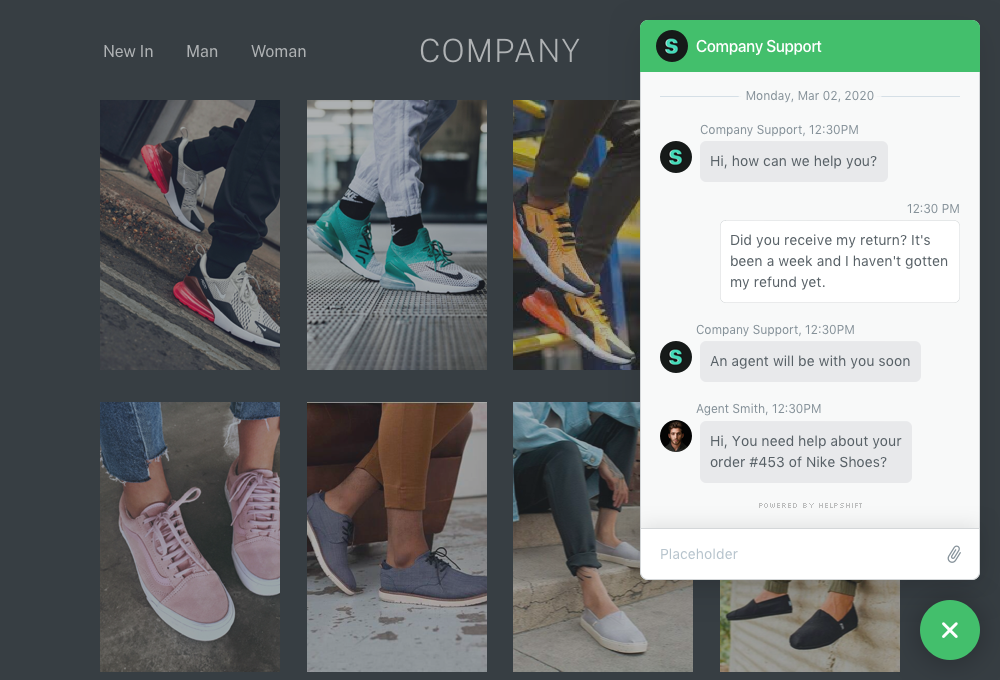
Helpshift’s Web Chat widget allows you to provide a live chat experience on your website. It just takes one line of JavaScript to embed Web Chat on your website.
Before you begin
In your Helpshift Dashboard, make sure you've added Web Chat as a platorm supported by your App. Here's how to do it.
Step 1: Add the Web Chat embed code
You can find a prepared embed code for your App at Settings > App > Web Chat. 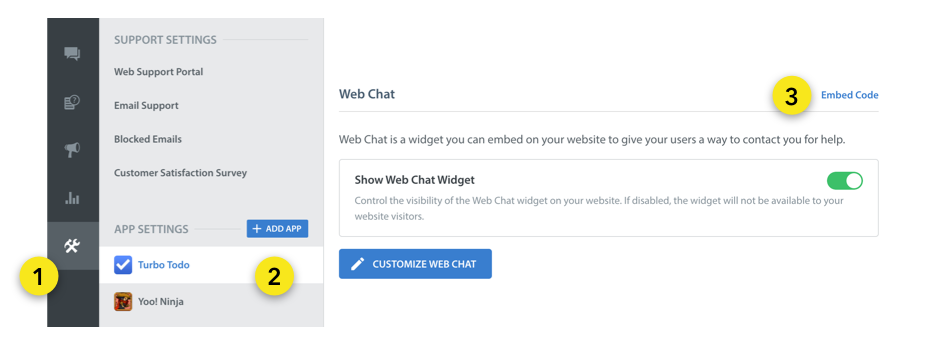 Place the embed code just before the closing
 </body> tag of your page.
Skip to next step if you've done this.
Manually adding the embed code
In case you don't have a prepared embed code, add this snippet just before the closing </body> tag of your page:
<script>
  (function () {
    var PLATFORM_ID = "<YOUR_PLATFORM_ID>",
        DOMAIN = "<YOUR_DOMAIN>";

    window.helpshiftConfig = {
      platformId: PLATFORM_ID,
      domain: DOMAIN
    };
  }) ();

  !function(t,e){if("function"!=typeof window.Helpshift){var n=function(){n.q.push(arguments)};n.q=[],window.Helpshift=n;var i,a=t.getElementsByTagName("script")[0];if(t.getElementById(e))return;i=t.createElement("script"),i.async=!0,i.id=e,i.src="https://webchat.helpshift.com/webChat.js";var o=function(){window.Helpshift("init")};window.attachEvent?i.attachEvent("onload",o):i.addEventListener("load",o,!1),a.parentNode.insertBefore(i,a)}else window.Helpshift("update")}(document,"hs-chat");
</script>
- Replace
YOUR_DOMAINwith your Helpshift domain. For example, happyapps if your dashboard sits at happyapps.helpshift.com - Replace
YOUR_PLATFORM_IDwith details found atSettings>SDKs (for Developers)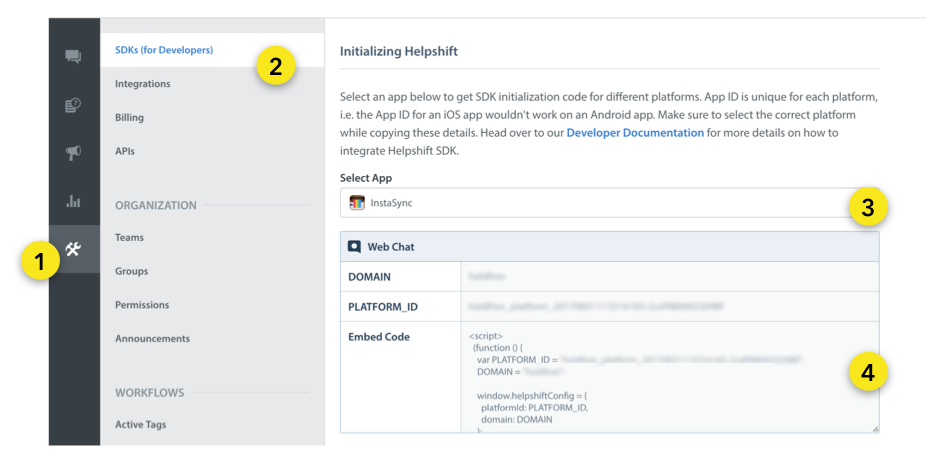
Step 2: Start using Helpshift Web Chat
Helpshift Web Chat is now available on your website. Test it out by starting a chat.

Make sure Show Web Chat Widget is enabled under Settings > App > Web Chat. 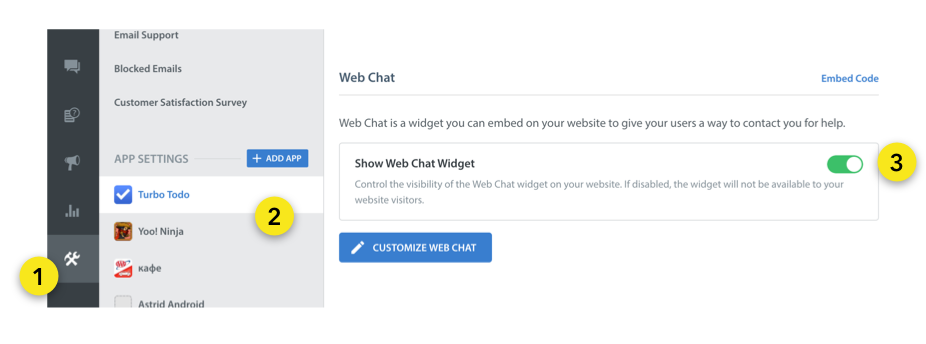
Supported Browser Versions
The Helpshift Web Chat widget currently supports the latest versions of following browsers:
- Chrome
- Firefox
- Safari
- Edge
- Mobile Safari
- Mobile Chrome
Troubleshooting
If you are having issues with your Web Chat integration, head over to the Troubleshooting section for further help.