Overview
Follow this guide if you want to customize emails sent to your customers to match your branding.
Email Support Channels
All the emails sent from Helpshift to your customers can be customized
via Email Support Channels. To view, edit or create your email support
channels, navigate to Settings>Email Support.
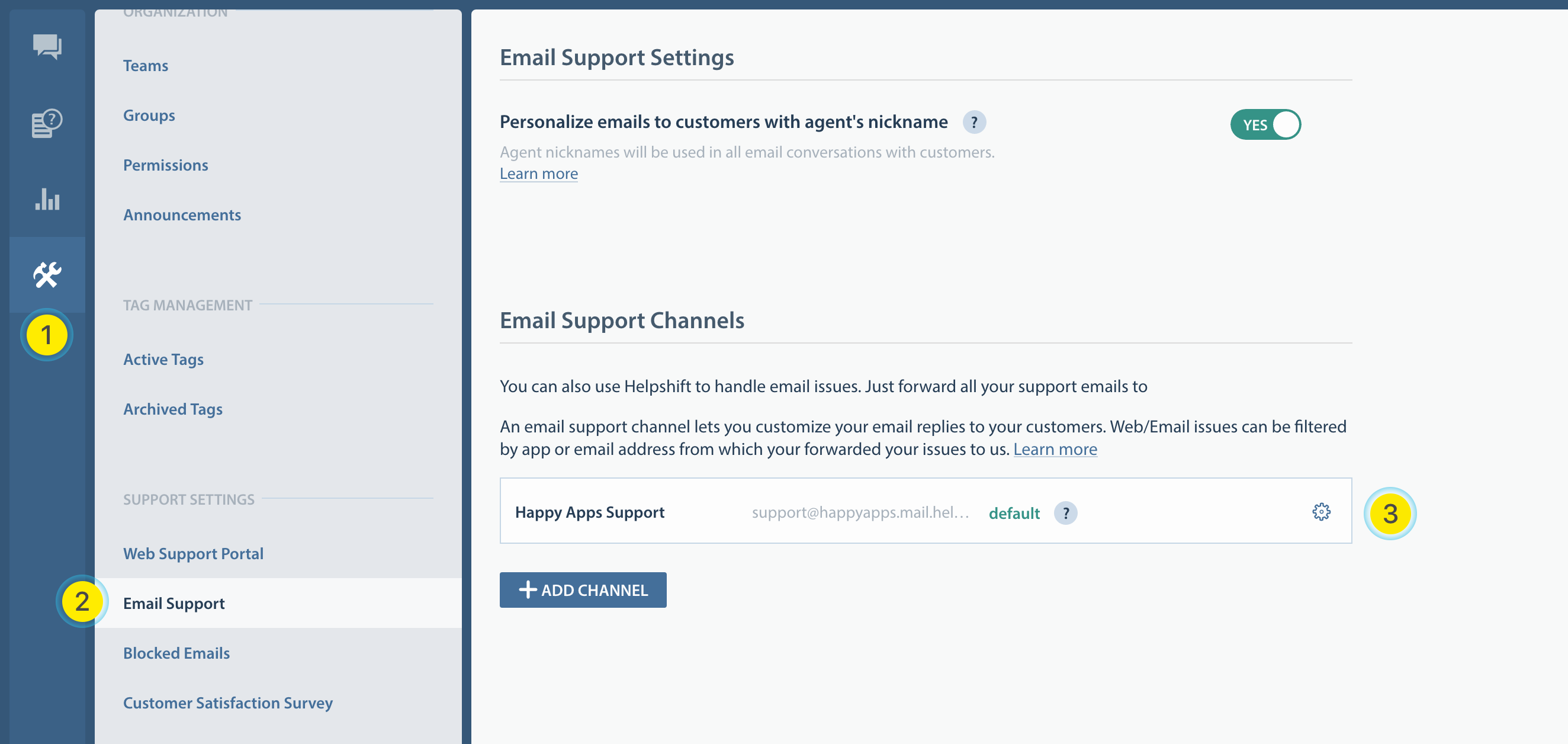
| 1 | Goto Settings |
| 2 | Click Email Support from the side navigation |
| 3 | This is where you can edit or add new email support channels |
Customizing your Emails
An email support channel allows you to customize the following -
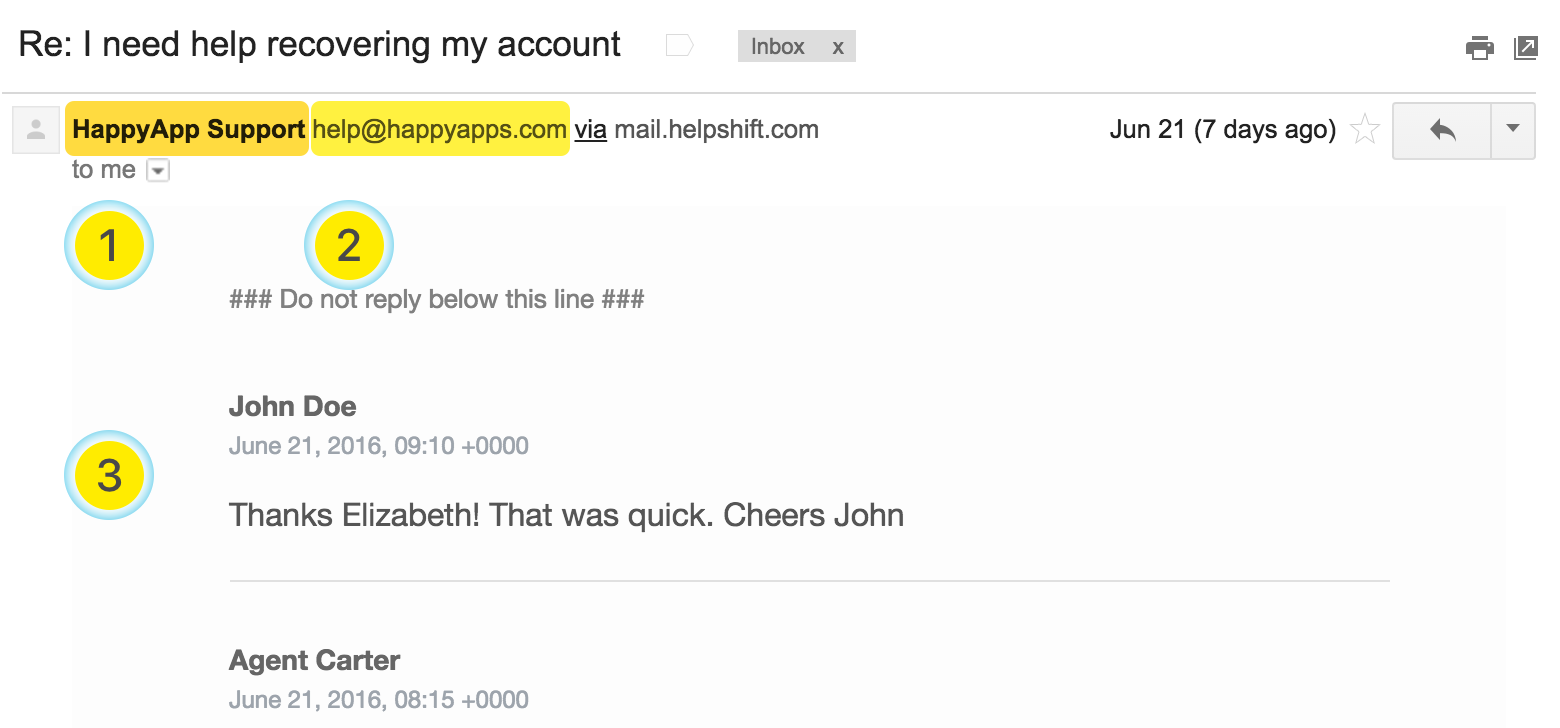
| 1 | From name used in the emails |
| 2 | From address used in the emails |
| 3 | The design of the email itself via custom templates |
In addition, an email support channel let's you match a web/email issue to itself and customize the auto-reponse and the email template to be used.
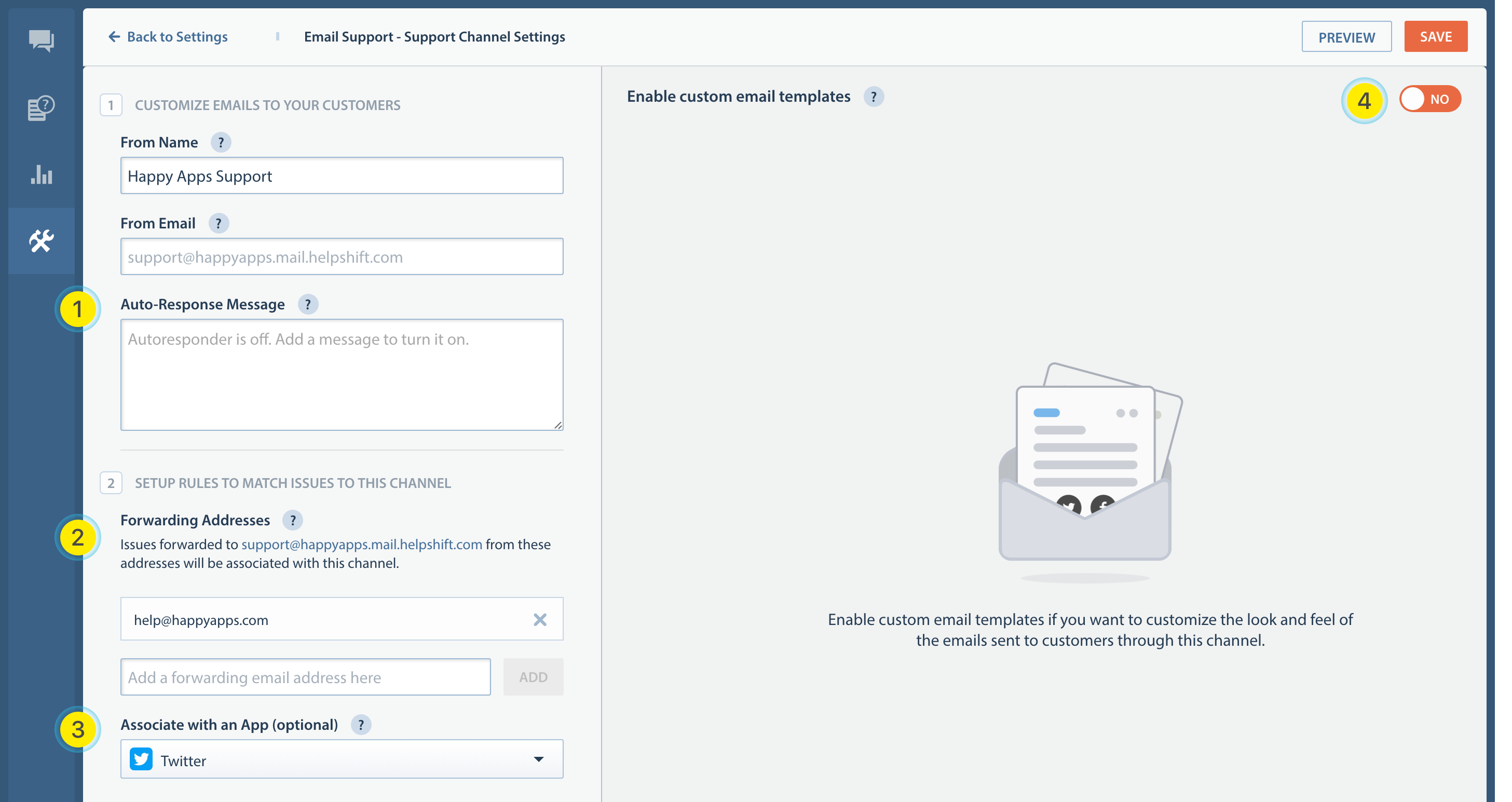
| 1 Auto-response | Setup an auto-response text for web/email issues matching this channel |
| 2 Forwarding addresses | Emails forwarded to support@<your-domain>.mail.helpshift.com will be associated with this support channel |
| 3 App association | If a customer files an issue from your web support portal, and selects this app, the resulting issue is matched with this support channel |
| 4 Custom template | Turn this ON if you wish to use a custom html/text email template for emails sent to your customers. |
Using a custom email template
To learn more about writing a custom email template for your email support channel, see the guide here.